Avalara AvaTax is a cloud-based solution that automates the calculation of taxes in Sales documents. It accurately determines tax rates based on location, product type, and other factors, ensuring compliance with local, state, and international tax laws.
¶ Initial Setup
To be able to use Avalara Avatax solution - it is necessary to have Avalara connected to Business Central. This can be done following Avalara's instructions.
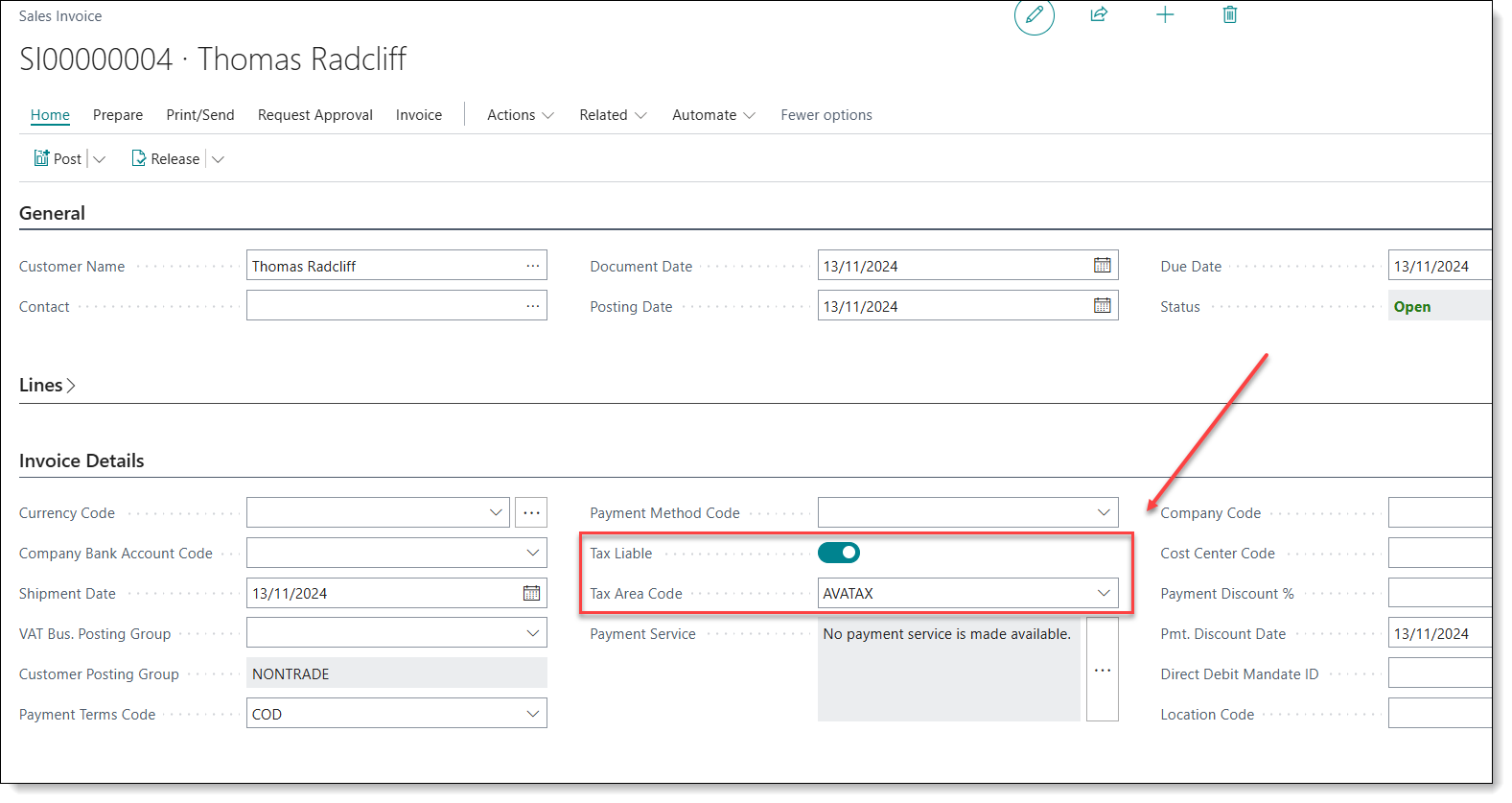
In order to use automatic tax calculation in Sales documents, it is necessary to have 2 key values:
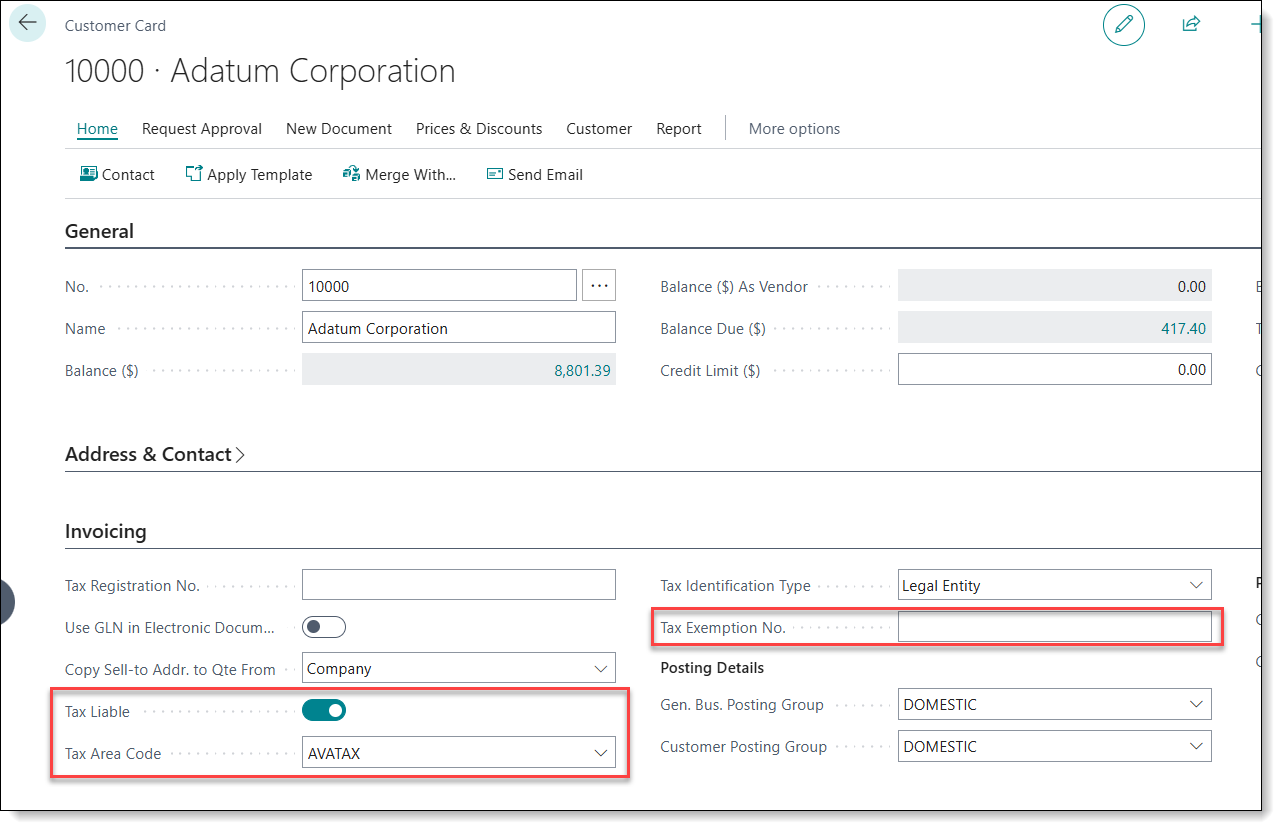
- Tax Liable - should be checked as TRUE
- Tax Area Code - should be set to “AVATAX”
These values does come from Customer Card or Customer Ship-To Address cards. Without them AvaTax will not calculate taxes.
Each new customer must be assigned with AVATAX Tax Area Code and Tax Liable must be set to TRUE
¶ Items
On Item card a field called Tax Group Code has to be selected. There are only 2 codes that can be used together with AvaTax:
- TAXABLE - default option to items that should be taxable.
- NT - assigned to items which should not be taxable. AvaTax will not calculate any taxes for this item.
By default all items are considered to be fully taxable (expect items with NT Tax Group assigned). If there are particular Items that should apply a specific tax percentage - items must be configured in Avalara portal and appropriate Tax Category Code has to be selected.
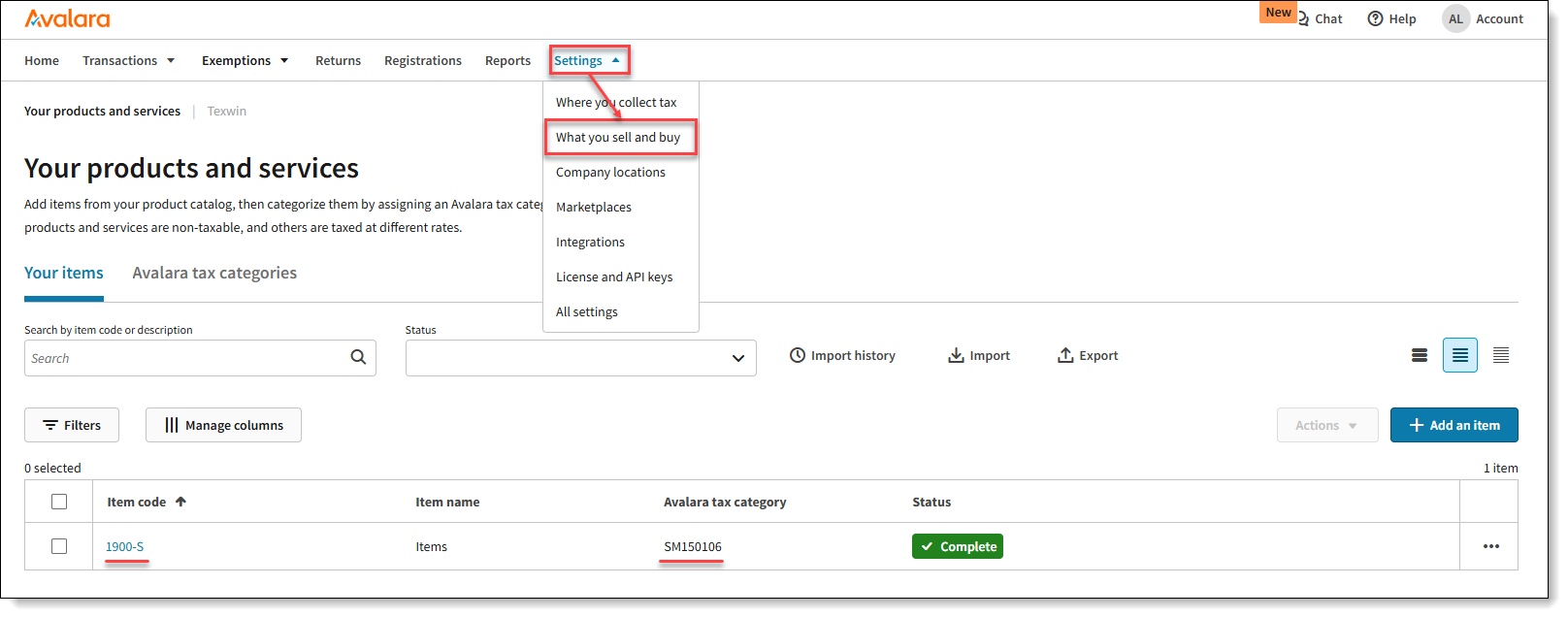
From Avalara portal navigate to Settings → What you sell and buy.
List will display already configured Items (if there are any) and each Item code will have Avalara tax category set. Avalara tax category is a specific tax code which defines the product category and what taxes should be applied.
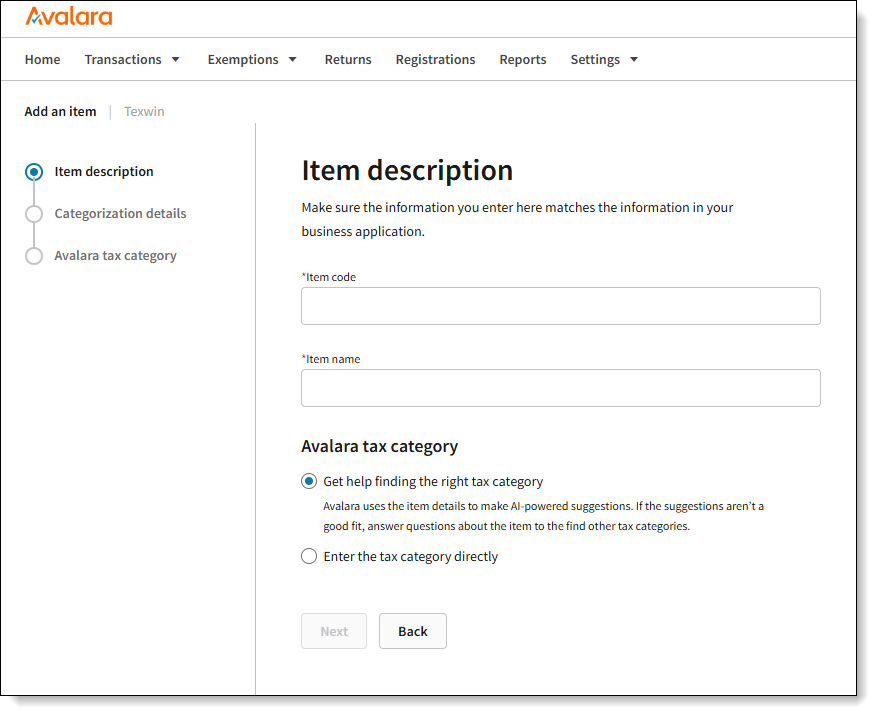
In order to add new item, click “Add an Item” button, which will open Item creation. Item Code should be the same as Item No. in Business Central.
There are 2 options how Avalara tax category can be assigned:
- Get help finding the right tax category - this will open a search which will help user to find the correct tax category for an item.
- Enter the tax category directly - just assign the category, if you already know tax category that should be assigned.
To find which tax category should be assigned to item, Tax Codes Search can be used as well.
¶ Customer
All customers needs to have Tax Area Code set to AVATAX and Tax Liable has to be enabled in order to use AvaTax to calculate taxes automatically.
If Customer has Tax Exempt certificate, certificate number should be put to Tax Exemption No.. Sales Invoices created with such customer will not have any tax applied.
¶ Sales Process
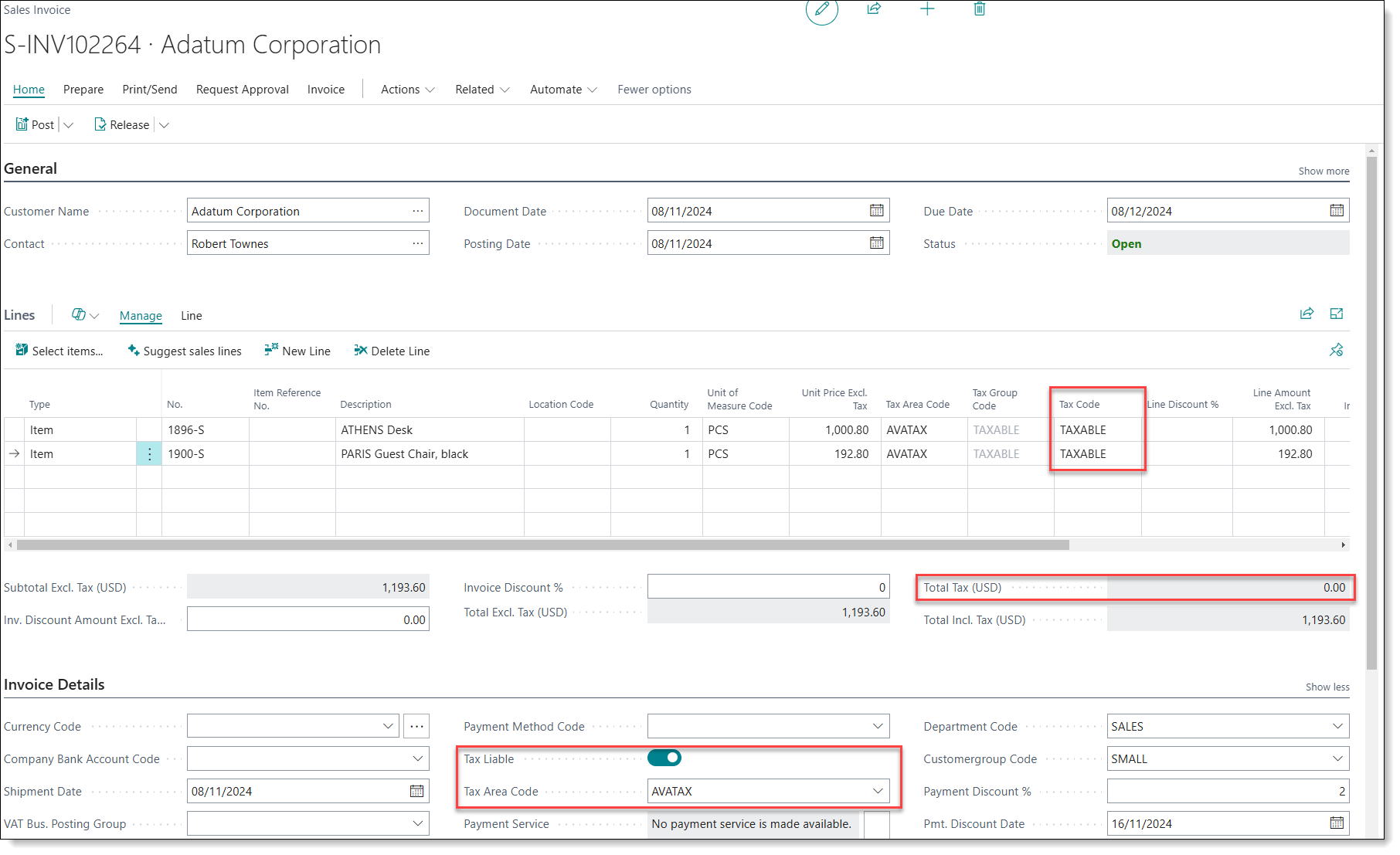
When creating a sales order - tax amount will not be calculated instantly. After the customer and items were added to the document, document has to be Released.
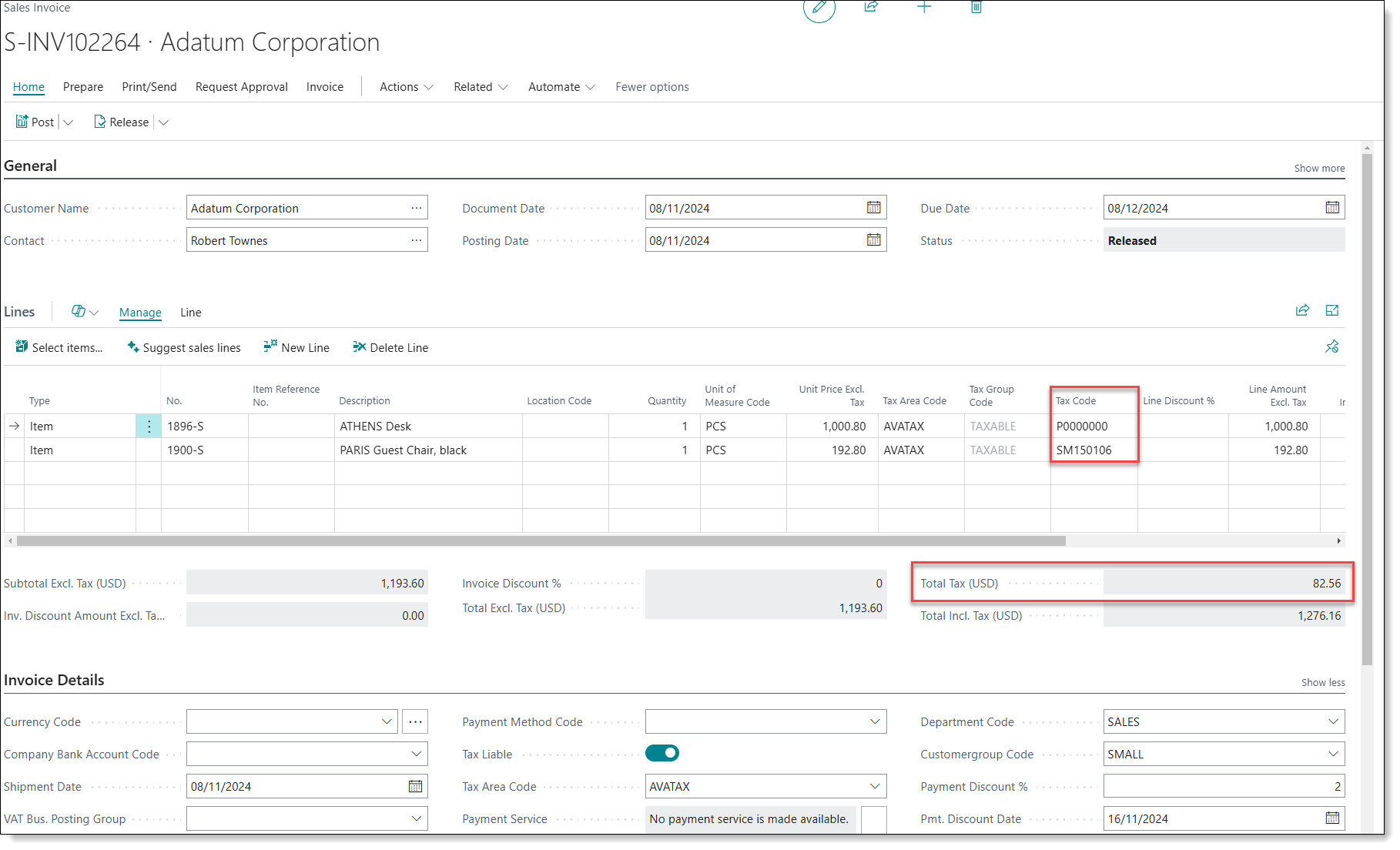
After the document has been Released, AvaTax will calculate tax based on Address entered and items selected. Tax Code will be applied to lines accordingly, based on what is configured in Avalara portal ("What you sell and buy" page).
As an example below:
- 1896-S line received P0000000 Tax Code - this is a default Tax Code that gets assigned to Items that are not configured in Avalara portal. This Tax Code is fully taxable.
- 1900-S line received SM150106 Tax Code - this is the Tax category that was assigned to this item in Avalara portal. This particular Tax Code is not taxable in Texas, so this line did not receive any tax in this case (even though it had TAXABLE group code assigned).
¶ Sales in Avalara
After the document was released, it will automatically import to Avalara portal.
To review all documents in Avalara - open Transactions page there:
Documents that were released, but not posted will have Uncommitted document status set. After document is posted, it will have status Committed.
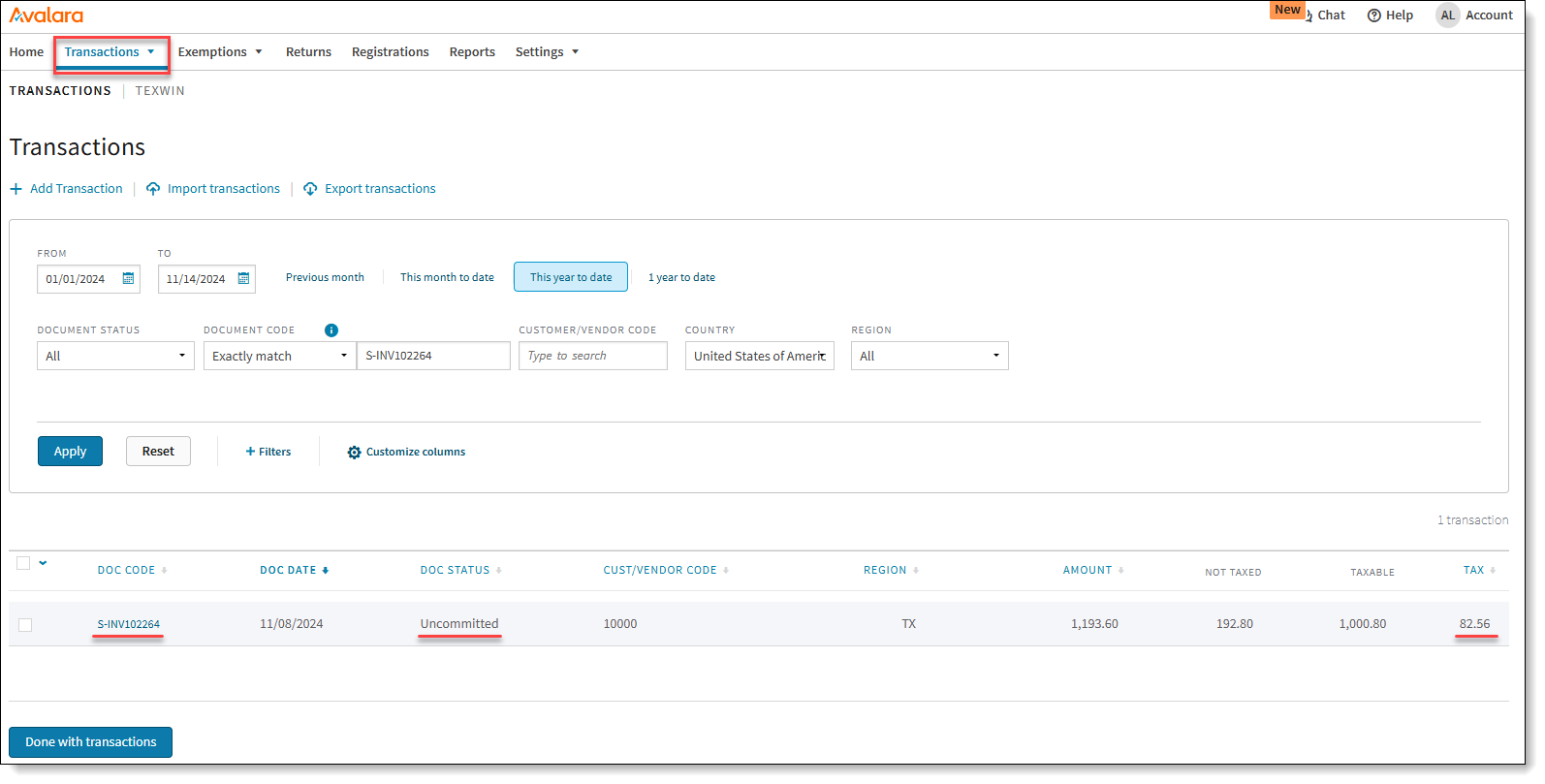
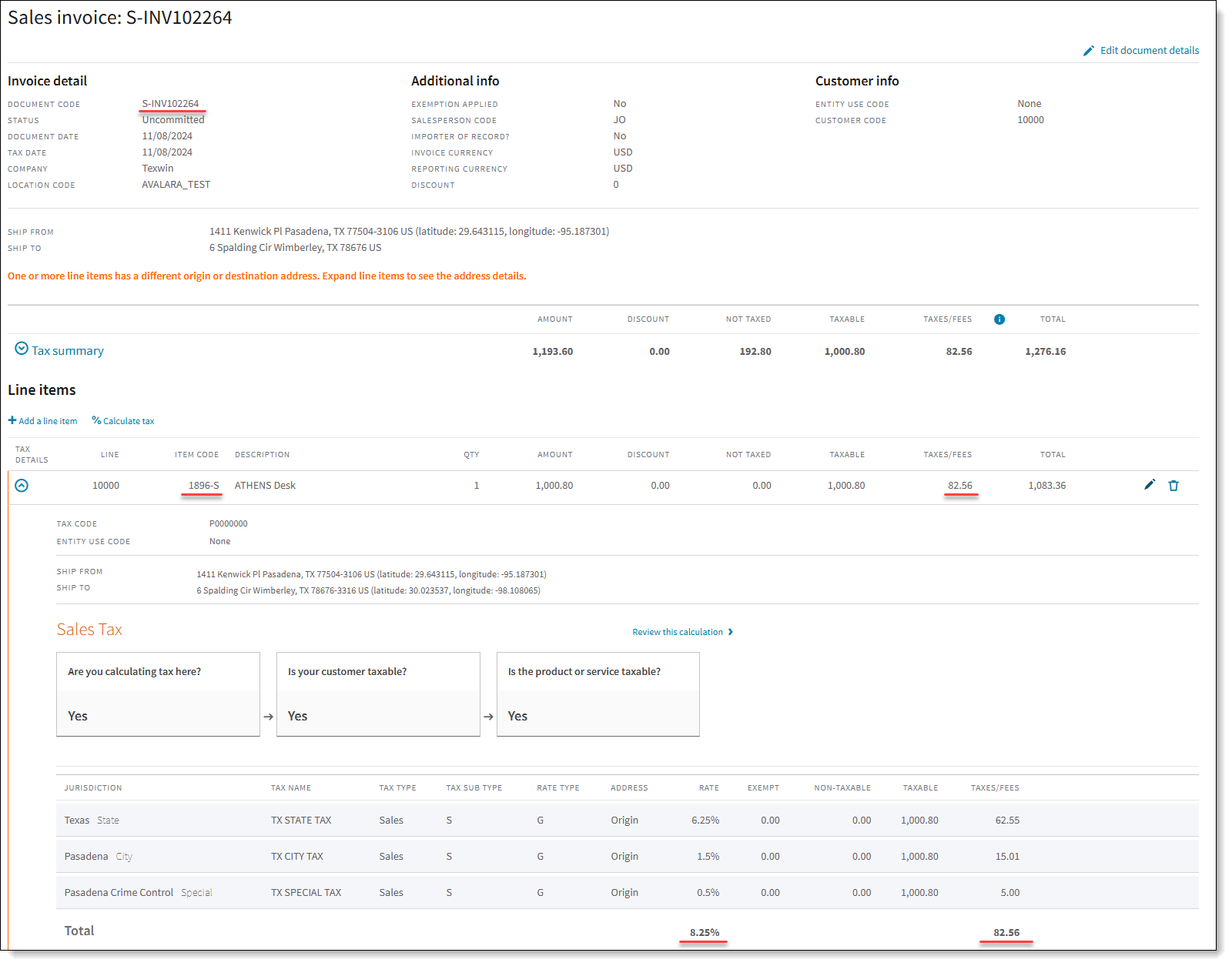
It is possible to open the document by clicking on Document Code. This will open a detailed view about the sales document:
- Sales Tax Calculation formulate.
- Tax Jurisdictions that were applied to an item and detailed tax percentage.
¶ User Setup
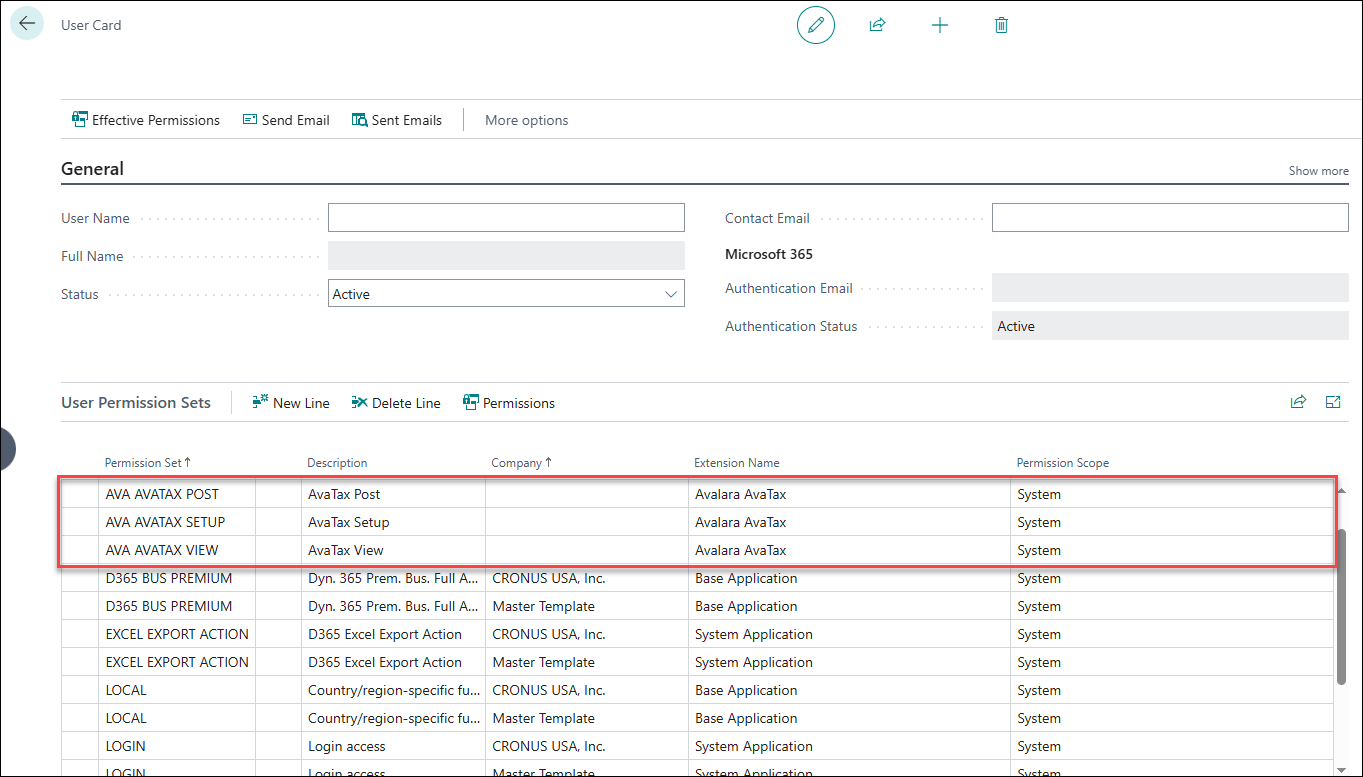
In order to use AvaTax functionality users must have specific permissions assigned:
- AVA AVATAX POST
- AVA AVATAX SETUP
- AVA AVATAX VIEW
Permission can be set in User's card, in User Permission Sets tab: